Agency Management
Agencies are the organizations that manage surrogacy and egg donation journeys. Each agency has its own profile, disbursement template, and associated cases.
Agency List
Section titled “Agency List”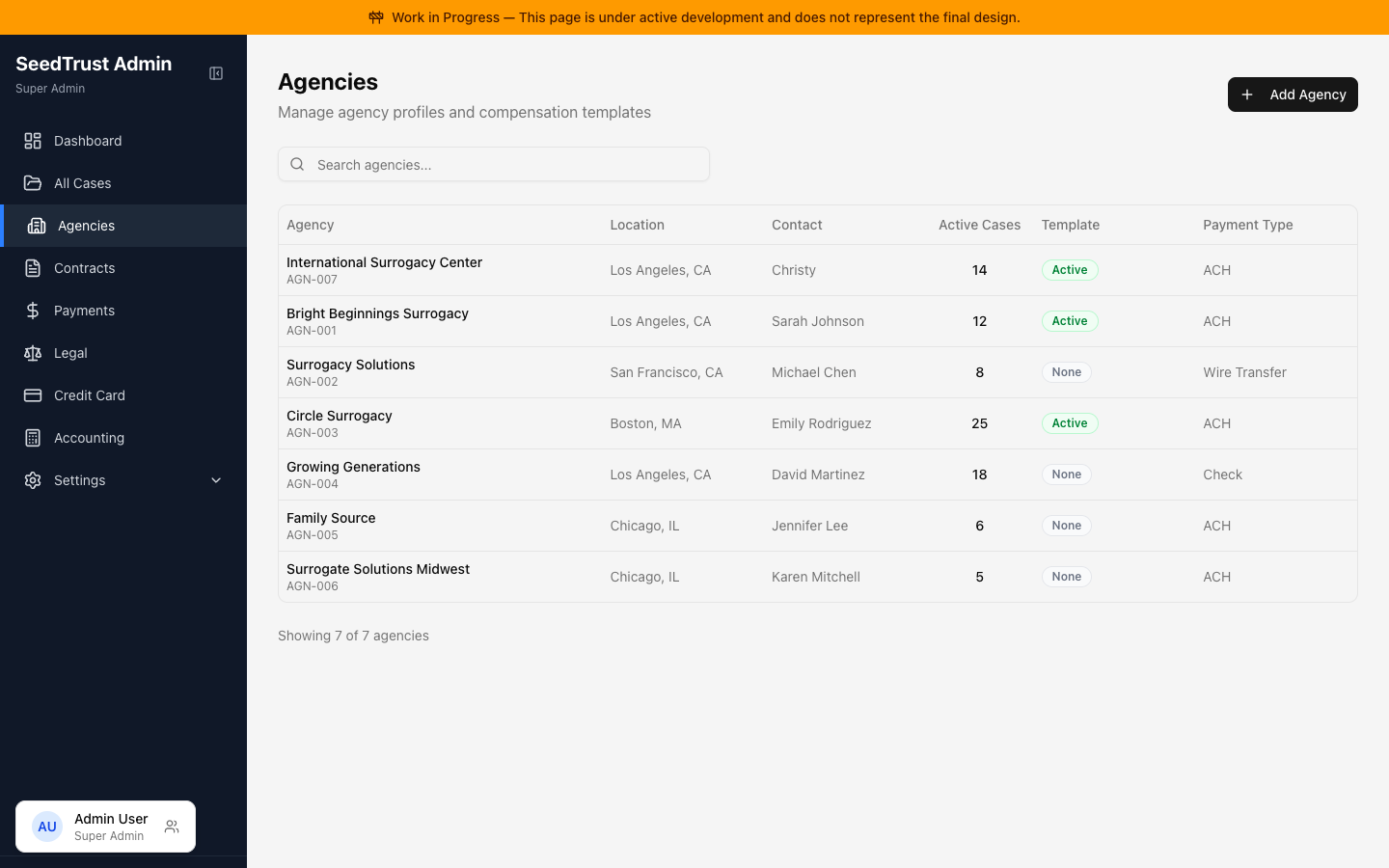
The agency list shows all registered agencies with search functionality. Each row shows the agency name, primary contact, location, program types, and template status.
Agency Detail
Section titled “Agency Detail”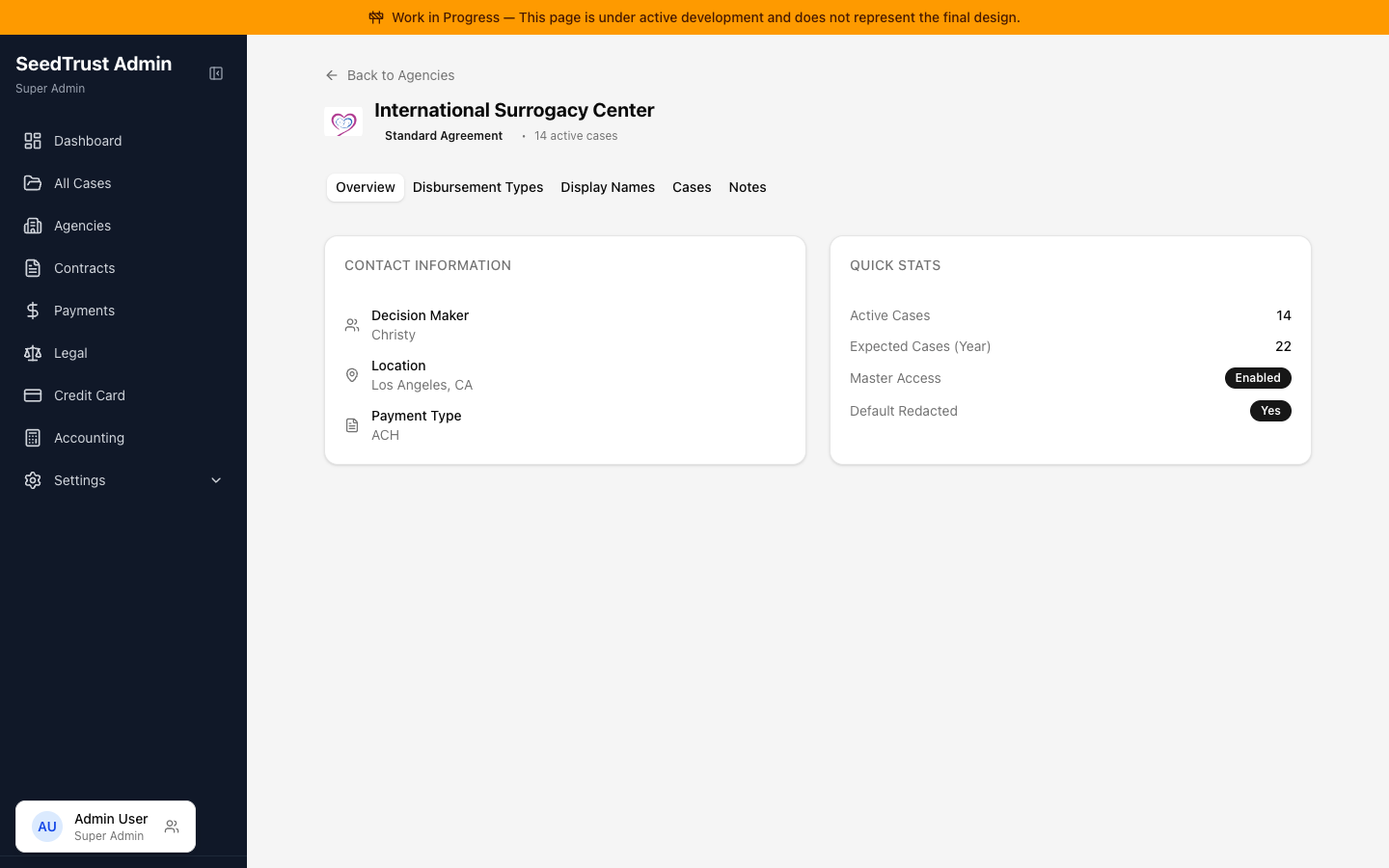
Each agency has a detail page with tabs:
| Tab | What It Shows |
|---|---|
| Overview | Agency profile, contact info, quick stats |
| Disbursement Types | The agency’s disbursement template (see Disbursement Types Editor) |
| Cases | All cases associated with this agency |
| Notes | Internal notes and activity log |
The Disbursement Types tab shows which master template the agency’s was based on (e.g., “Based on: Standard Surrogacy”) and uses the shared editor for modifications.
Creating an Agency
Section titled “Creating an Agency”The Add Agency dialog collects:
- Agency Name and Primary Contact (required)
- Location
- Program Type — Surrogacy, Egg Donation, or Both
- Template selection — which master template(s) to copy (filtered by the chosen program type)
- Preferred Payment Type
Important behavior:
- Template selectors only show templates matching the selected program type
- The selected template is copied to the agency, not linked — the agency gets its own independent copy to customize
- After creation, the user is taken directly to the new agency’s detail page
Visible to: Contracts Team, Super Admin